USB Hub
6 of 6 products
Out of stock — restocking soon6
Buying guide
A USB-C hub lets a thin laptop or tablet keep the ports it no longer has built in. Modern machines have often dropped USB-A, HDMI and the SD card reader in favour of a single USB-C port, which is elegant until you need to plug in a mouse and a projector.
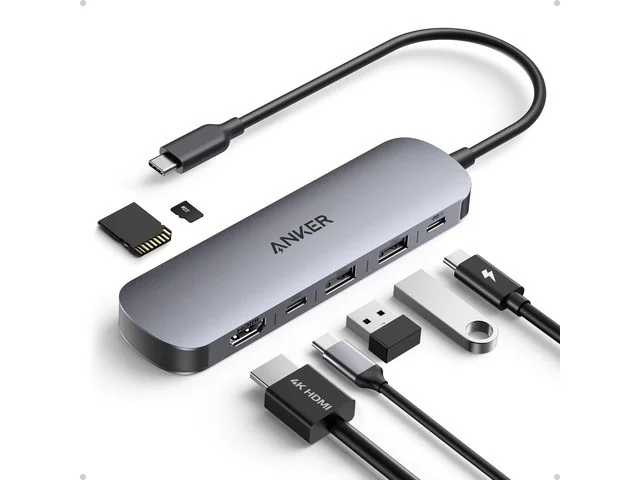
Count the ports you actually need before you buy. A 5-in-1 hub with USB-A, HDMI and USB-C is usually enough for a desk. A 9-in-1 docking station is for a fixed workstation where you want one cable to connect everything, and it is worth checking that it includes pass-through charging — without power delivery you can charge only through the laptop's own port, and the hub adds a cable rather than removing one.
HDMI is the other decision. A 4K output at 30 Hz is fine for documents and browsing; if you are driving an external display at 4K and 60 Hz, check that the hub supports the refresh rate you want, because many cheap hubs silently cap at 30 Hz and the desktop stutters.
Build quality matters more than the port count. Look for an aluminium body rather than plastic, because a hub that runs warm in Dubai's ambient heat will throttle or drop the connection, and a hub with no ventilation is exactly that. Check the hub suits the laptop you own — a USB-C port on an older machine may only carry the slower USB 2.0 data rate, which makes external storage slow.
Frequently asked questions
Do I need a hub with HDMI if my laptop has USB-C only?
Yes, unless you buy a USB-C monitor that takes the video signal directly. USB-C carries DisplayPort Alt Mode, which most USB-C monitors accept over a cable without any adaptor. If you are connecting to a television or a projector, or to a monitor that only has HDMI, the hub provides the conversion. Check that the hub's HDMI output is 4K-capable if your display is.
Will a USB-C hub charge my laptop?
Only if it has power delivery, and many do not. A hub without pass-through charging leaves you needing the laptop's own charger plugged in alongside the hub, which defeats the point of a single-cable dock. Look for 'power delivery' or 'PD' in the specification, and check that the wattage is enough for your laptop — a 65 W hub will not charge a 100 W machine at full speed.
Why does my external hard drive transfer slowly through the hub?
Almost always a USB 2.0 fallback. If the hub or the port negotiates the slower USB 2.0 data rate, a drive that should run at hundreds of megabytes per second drops to tens. A laptop built before USB-C often only carries USB 2.0 on its port, and a hub that does not negotiate up will inherit that. Test directly in the laptop first: if the drive is fast plugged in and slow through the hub, the hub is the bottleneck.
Does a USB-C hub get hot in the UAE?
It can, and that is a real failure mode here. A hub without a metal body has nowhere to shed heat, and once it gets hot it throttles or drops the connection. Choose an aluminium-bodied hub, keep it out of direct sun on the desk, and do not stack it under a closed laptop. A hub that works fine on a London desk can fail in a Dubai office in July.